
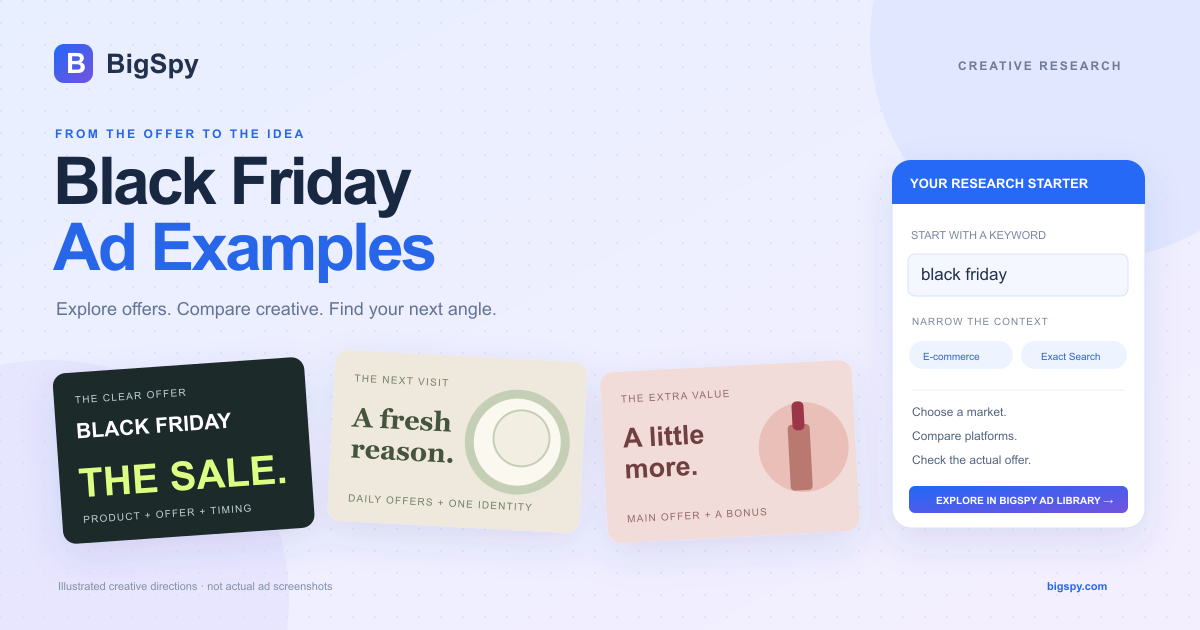
Six terms worth knowing before you compare ads
Seasonal ads often use similar words for different time windows and offer scopes. Read the exact dates, eligible products, and conditions before treating two promotions as comparable.
Black Friday
The Friday after U.S. Thanksgiving. What began as an in-store shopping day now includes online promotions, and many campaigns start before the Friday itself.
Cyber Monday
The Monday after Thanksgiving weekend, historically focused on online shopping. A Cyber Monday offer may differ from the preceding Black Friday promotion.
BFCM
Short for Black Friday Cyber Monday. Brands may use it for the combined weekend or a wider promotional period, so check the dates stated in the ad.
Early access
A sale opens to a defined group before the public launch. Check who qualifies, when access starts, and whether the offer changes later.
Sitewide vs. selected items
Sitewide signals broad eligibility, while selected items limits the offer to part of the catalog. Exclusions can still apply, so read the conditions.
“Up to” a percentage off
“Up to 70% off” states the highest advertised discount, not that every item is reduced by 70%. Look for the actual saving on the featured product.
Why this matters for ad research: Search Black Friday, BFCM, early access, and Cyber Monday separately. Then compare only ads with compatible timing and offer scope.
Three Black Friday TikTok ad examples
Three creatives from two advertisers, with different product presentations.
A problem-led opening, then product demonstrations
Latest discovery
What the creative shows
The opening shows tomato cutting followed by a concerned reaction (about 0–6s). It then moves through close-ups of shredding, slicing, peeling, and opening bottles (about 8–38s). Near the end, a presenter holds the tool and points downward beside an arrow.
Creative takeaway
The sequence moves from a familiar kitchen problem to a range of demonstrated uses, then an action cue. The repeated close-ups make the tool’s role visible before the final offer.
Try in your campaign
Start with one recognisable preparation problem, then show a few relevant uses of your product. Keep the final CTA easy to follow.
A fast product montage with a fixed price hook
Latest discovery
What the creative shows
Across the roughly five-second file, fragrance-bottle images change rapidly against a white background. “TODAY ONLY $21.9” and “Best JPG?” remain in place while the products change. The Black Friday wording and “Buy 3 For $60” offer appear in the card copy.
Creative takeaway
This format uses changing product images to create movement while keeping the price and comparison question stable. It presents product choices rather than showing a use demonstration.
Try in your campaign
For a short catalog-style creative, keep the layout and main message consistent as products change.
An action-led opening with a multi-use demo
Latest discovery
What the creative shows
This version starts directly with peeling and a close-up of the tool (about 0–6s). Bottle-opening and food-preparation shots follow, including many demonstrations also used in the first example. Around 44–46s, a presenter shows the tool with a downward arrow and gesture.
Creative takeaway
The product is already in use at the opening. Compared with the first ad’s problem setup, this version reaches the demonstration sooner and then builds out the range of uses.
Try in your campaign
Test a problem-led opening against an action-led opening, keeping the rest of your own test comparable. The supplied ads do not establish which wins.
What to compare in a Black Friday ad
Use this checklist while watching an ad or reading its copy.
| Look at | Ask yourself | Record for your own brief |
|---|---|---|
| Opening message | What appears or is said first: a product, a problem, or the sale? | One opening line or first-frame idea to test. |
| Offer and conditions | Is the saving clear? Which products qualify, and when does it end? | Your actual offer, eligibility, and deadline. |
| Product demonstration | What does the viewer learn about the product before the CTA? | A useful demonstration you can film with your product. |
| Copy and pacing | Do the spoken words, captions, and visuals support the same message? | A rough sequence of scenes and supporting copy. |
| Next action | Does the ad ask shoppers to buy, prepare, or sign up for early access? | One CTA and a landing page that fulfills it. |
Black Friday advertising ideas to explore
Choose a direction that fits your product and actual promotion.
Early access
Explain who gets access, when it opens, and what they need to do. A sign-up ad needs a different next step from a buy-now ad.
Bundles & gifts
Show what is included and why the items belong together. Keep the bundle price or gift conditions readable beside the products.
Demo-led video
Build a product demonstration around a specific use or question, then connect it to your seasonal offer. Include enough context to understand both.
Last call
State the actual end time and what expires. If Cyber Monday has a different offer, explain the difference rather than repeating an outdated message.
How to find Black Friday ads in BigSpy
Use the workflow to build a shortlist you can inspect, compare, and adapt.
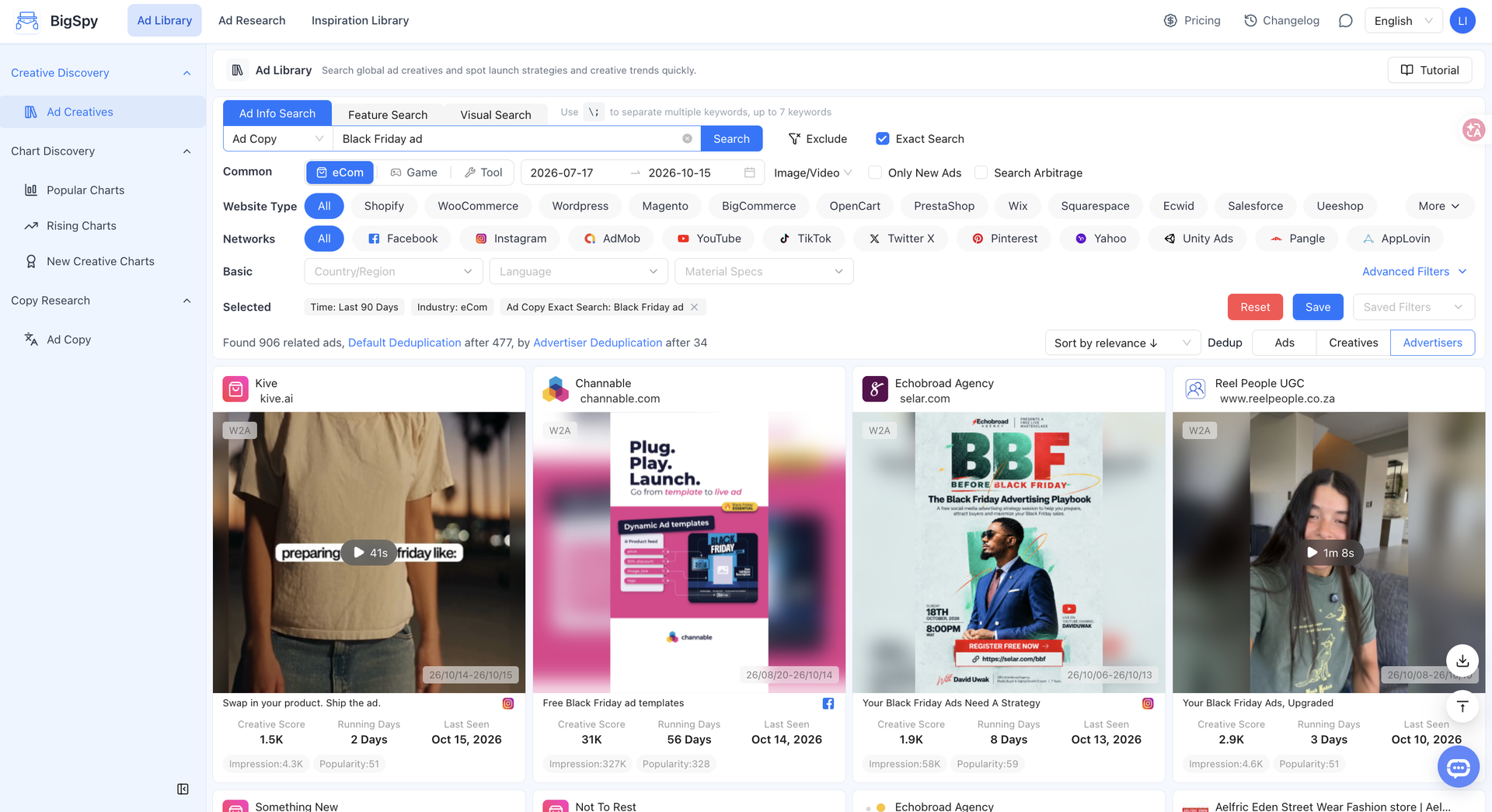
Start with a simple event keyword. Open Ad Library, select E-commerce, choose Ad Copy under Ad Info Search, and search black friday. Then use the steps below to narrow the results around your goal.
- 01
Search seasonal copy
Choose E-commerce → Ad Info Search → Ad Copy. Enter black friday and run the search.
- 02
Choose your goal
Decide whether you need ideas for a specific market, channel, store type, or campaign period.
- 03
Adjust your filters
Add relevant conditions gradually. Keep other filters broad, and widen the time range if you need more references.
- 04
Inspect and compare
Open relevant creatives, confirm the offer, and compare their hook, product presentation, and CTA. Save or download where your plan allows.
Match the filters to what you want to learn
| Your research goal | Filters to adjust | What to compare |
|---|---|---|
| Plan for a target market | Select the country or region and ad-copy language relevant to your audience. | How advertisers explain the offer, product value, and next action in that market. |
| Find ideas for a channel | Choose TikTok, Facebook, or Instagram. Narrow media type or creative specifications when needed. | Opening scenes, pacing, product demonstrations, and how the offer is shown. |
| Research a store platform | Choose a website type such as Shopify or WooCommerce, or leave All selected for wider inspiration. | Relevant product categories and promotional approaches; the store platform alone does not indicate ad performance. |
| Compare seasonal campaigns | Use a recent window for new references, or select a previous Black Friday period where historical results are available. | How early-access, sale-period, and last-call messages differ. Check the offer dates in each creative. |
Refine one condition at a time. If results are too broad, add a relevant filter or try Exact Search. If results are too limited, widen the date range or remove a condition. Marketing services can also mention Black Friday, so check that the advertiser and product fit your goal.
Black Friday ads FAQ
What should I look for in a Black Friday ad example?
Look at the opening message, product demonstration, offer, conditions, and CTA. Record a specific idea you could test with your own product rather than copying the reference unchanged.
How do I find Black Friday ad examples in BigSpy?
Open BigSpy Ad Library, choose E-commerce, then select Ad Copy under Ad Info Search and enter black friday. Adjust the country or region, language, channel, website type, format, and time range to your research goal. Try Exact Search for a tighter wording match, and open each candidate to check its product and offer.
Can I research ads from more platforms in BigSpy?
Yes. BigSpy supports ad research across 11 channels: Facebook, Instagram, Google Ads, YouTube, X (Twitter), TikTok, Pangle, AppLovin, Pinterest, Yahoo, and Unity. Use the platform filter to focus on the channel relevant to your campaign. Available channels and results depend on your plan and selected filters.
Does a long-running ad prove that it is profitable?
No. Days running, engagement, and estimated impressions can guide creative research, but do not establish sales, CPA, or ROAS. Evaluate your own creative tests using your campaign results.