
Whether you are looking to offer short dramas, mini-games, or e-commerce solutions, building a TikTok Mini App allows you to tap into TikTok's enriched ecosystem without complex technical hurdles. In this guide, we will walk you through the entire lifecycle of a TikTok Mini, from the initial setup to the final launch.
What is TikTok Minis?
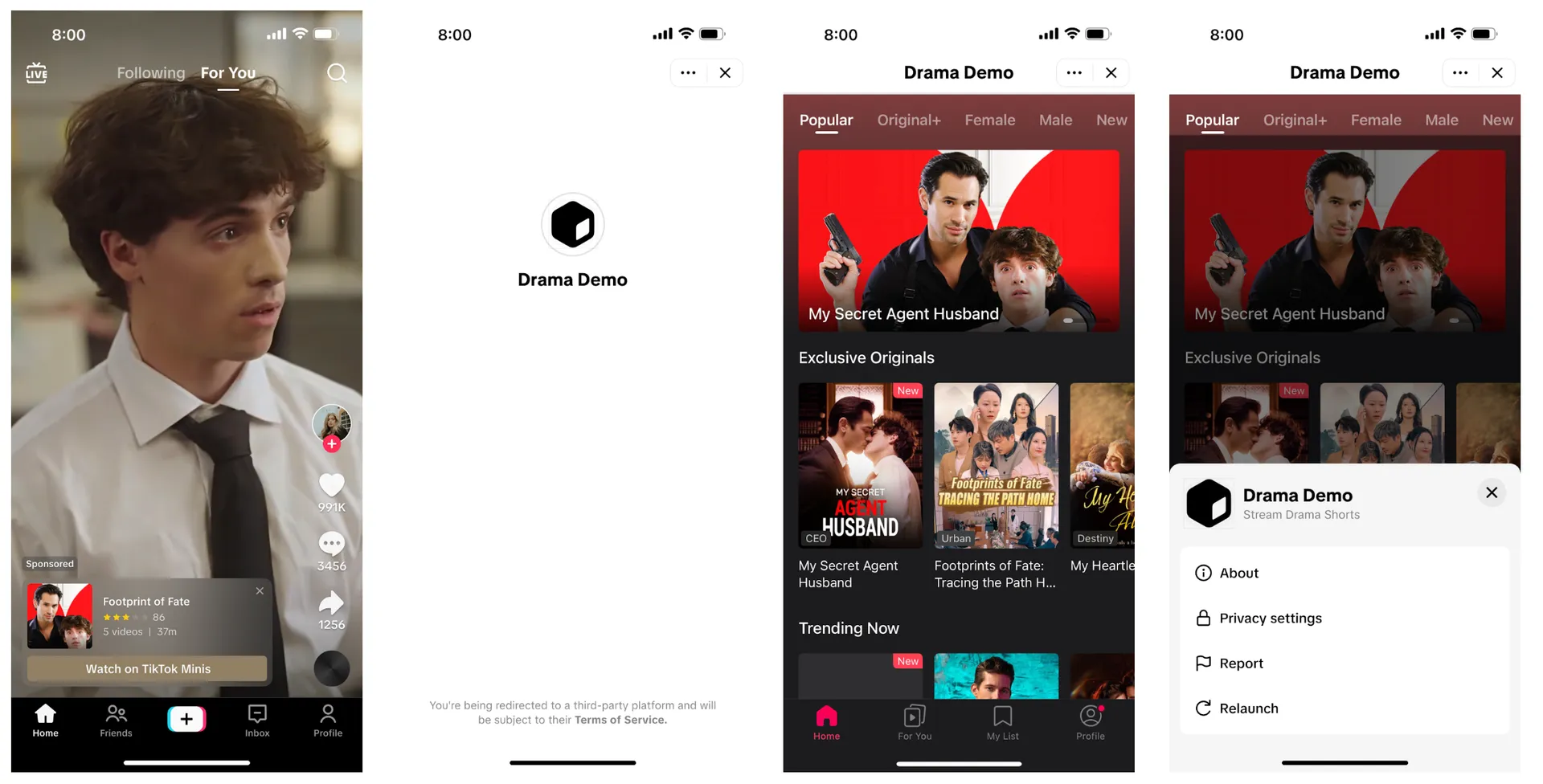
TikTok Minis is a lightweight framework that enables third-party developers to run web applications within the TikTok environment. Unlike traditional external links, Minis offer a native-like experience with accelerated loading, performance optimization, and seamless user interaction.
Key Advantages for Developers:
- Seamless Integration: Users access your service without leaving the TikTok app.
- Performance: Optimized loading speeds for better retention.
- Monetization: Built-in support for transaction handling and advertising.
Phase 1: Preparation Stage
Before writing a single line of code, you need to set up your environment on the TikTok for Developers platform.
1. Register and Create an Organization
To access TikTok Minis configurations, you must first register a developer account.
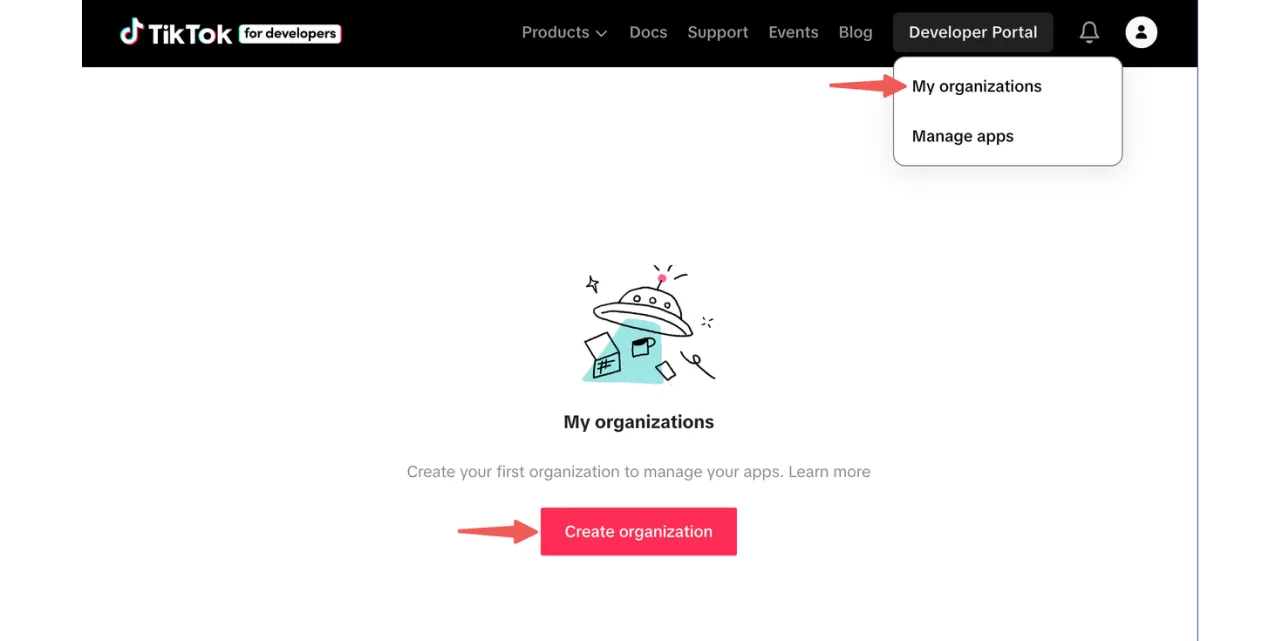
- Go to the TikTok Developer Portal.
- Navigate to My Organizations and click Create Organization.
SEO Tip: Choose an organization name that matches your corporate entity, as this will be visible to end-users.
2. Configure App Settings
Once your organization is set, you will need to provide relevant information to your TikTok point of contact to unlock specific Minis capabilities. This step is crucial for obtaining the necessary client_key for your SDK initialization.
Phase 2: Development & Integration
This is the core of the TikTok Minis integration workflow. You will be developing locally and integrating the TikTok Minis SDK.
1. Environment Setup
TikTok provides a Command-Line Interface (CLI) tool to streamline development.
- Install the CLI: Run
npm install @tiktok-minis/cli@latest -g. - Initialize Project: Use
ttdx minis initto generate yourminis.config.jsonfile.
2. Configuring minis.config.json
Your configuration file is the backbone of your Mini App. It controls the navigation bar colors, development ports, and build output directories.
Key Configuration Parameters:
- navbar: Customize lightModeBgColor and darkModeBgColor.
- domain: Whitelist your trusted domains to ensure API request security.
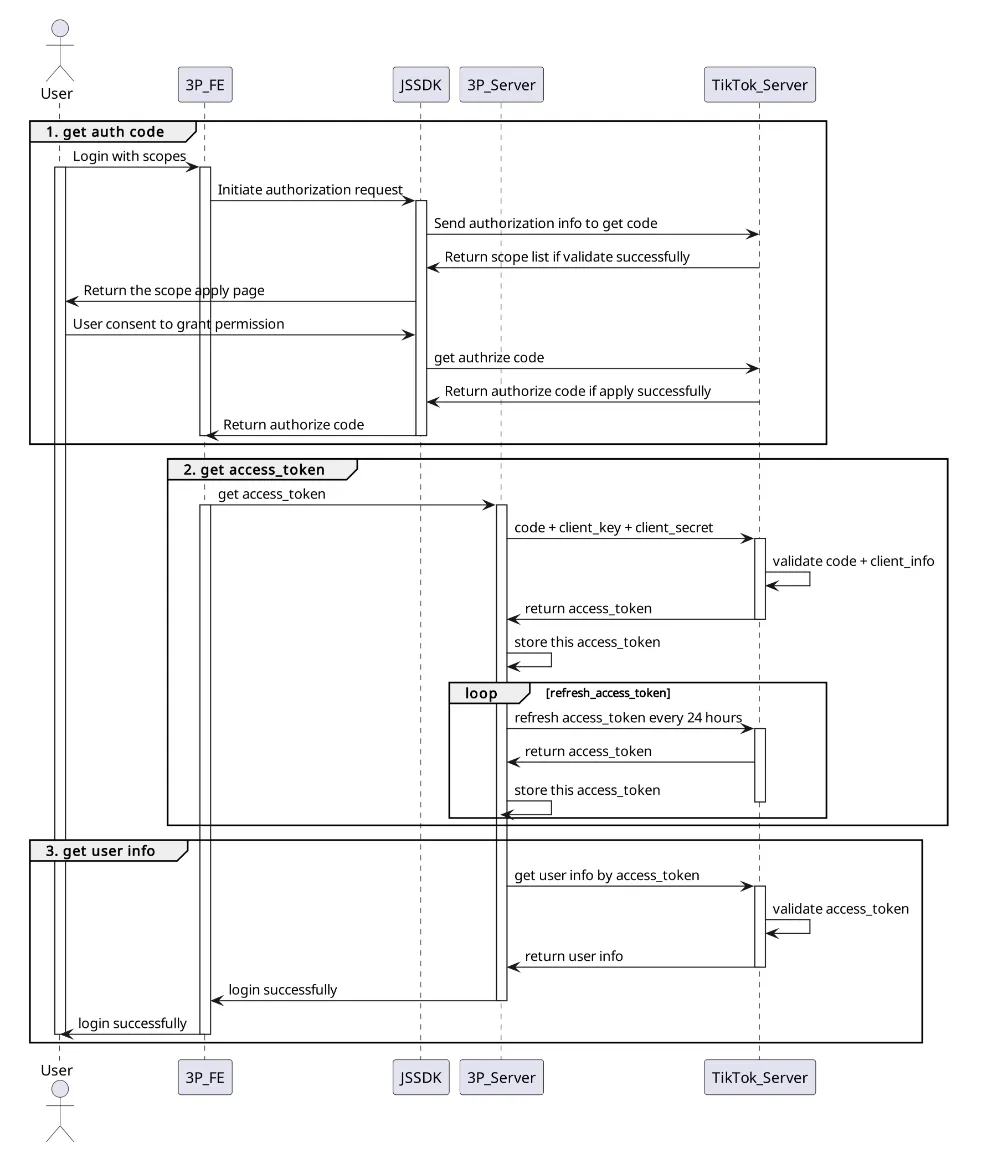
3. Integrating the SDK & Authentication
To identify users, you must integrate the TikTok Login API. You have two main options:
- Silent Login: Seamlessly retrieves a code to exchange for an open_id without interrupting the user flow.
- Explicit Authorization: Best for requesting advanced permissions (like user info) after the user is engaged.
// Ensure you replace with your actual client_key
TTMinis.init({
  clientKey: 'YOUR_CLIENT_KEY',
});
4. Payments and Monetization
Monetization is a key driver for TikTok Mini Apps. The platform supports a virtual currency system called Beans.
- Recharge and Pay Combined: The recommended, frictionless path where users are prompted to recharge only if their balance is insufficient.
- Separate Recharge: Gives developers more control but adds steps for the user.
Phase 3: Publication Stage
Once your local development and debugging are complete, it's time to go live.
1. Packing Your App
Pack your code assets into a ZIP file.
- Important Constraint: The file size must not exceed 50 MB.
- Checklist: Ensure minis.config.json is included and that you are not using forbidden APIs (like eval() or iframe).
2. Submission and Review
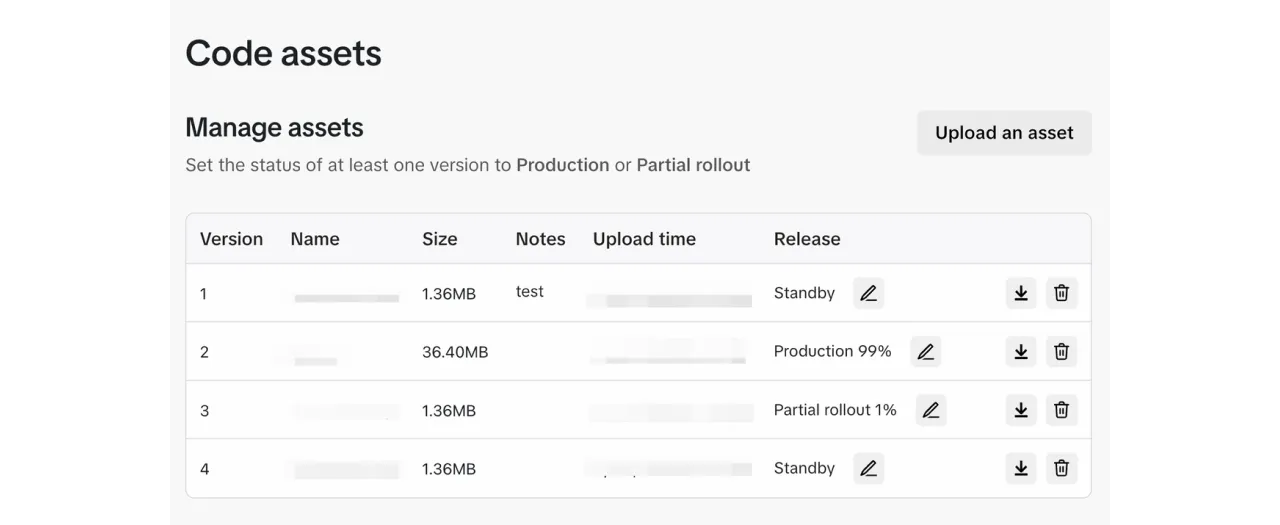
Upload your ZIP file to the Code Assets section of the Developer Portal. You can choose between a Full Release or a Partial Rollout (great for A/B testing with a small percentage of users).
App Review Guidelines:
- Ensure your App Name and Icon are consistent and free of sensitive content.
- Provide valid Terms of Service and Privacy Policy URLs.
Review Time: Typically takes 1-3 days.
Phase 4: Post-Launch & Operations
The work doesn't stop at launch. The Report Handling Guide is vital for maintaining a healthy app.
Handling User Feedback
Users can submit reports regarding User Experience, Payment Issues, or Content Violations.
- SLA: You must process reports within 72 hours.
- Dashboard: Use the "User Reports" section in the Developer Portal to resolve or dismiss tickets.
- Appeals: Be prepared to handle appeals, especially regarding payments, via email.
Conclusion
Building for TikTok Minis offers a unique opportunity to leverage TikTok's immersive environment. By following this integration guide—from setting up your developer account to mastering the TikTok Minis SDK—you are well on your way to launching a successful Mini App.
Ready to start? Head over to the TikTok for Developers website and create your account today.